Once you have a new laptop, the old one sits in a closet or drawer for months. These old gadgets accumulate in households and offices across the UAE over time. Tossing an old computer into the regular trash bin seems simple, but it creates two real problems: environmental pollution and lost data.
Laptops hold private photos, bank logins, work files, and personal messages. Their internal parts also contain high levels of heavy metals and lithium batteries that damage the land if dumped in a landfill. Using a specialized team such as MAH Recycling ensures your personal files stay protected and harmful e-waste never reaches local dumps.
Why Proper Laptop Disposal Matters in the UAE
People in the UAE love new technology, often replacing laptops every two years for faster processors, sharper screens, and more memory. This rapid turnover produces tons of e-waste annually, and putting an old computer in regular trash carries direct risks.
- Environmental harm: laptops release hazardous materials such as lead and mercury into landfills when it rains and gets hot
- Fire hazards: lithium-ion batteries can explode or ignite when crushed by heavy trucks
- Legal issues: UAE laws are strict about placing electronics in general trash bins
- Data leaks: simply deleting a folder does not remove the data, and old files can be recovered with basic tools
Step 1: Secure Your Files and Wipe Your Data
Remove all personal data before handing your laptop to anyone else. Transfer important documents, photos, or bookmarks to a USB drive or a secure cloud folder, then sign out of every account, including iCloud, Google, and Microsoft, and uninstall software such as Adobe or Office.
A regular deletion does not remove all information from the storage drive. A complete wipe or factory reset is required, and the method depends on the drive type.
Hard Disk Drives (HDD): mechanical spinning platters and magnetic storage sectors need a NIST 800-88 multi-pass overwrite.
Solid State Drives (SSD): flash memory chips and controller logic need hardware-level cryptographic erasure or firmware TRIM commands.
On Windows, use "Reset this PC" and choose to wipe the drive. On Mac, use Erase Assistant in System Settings. Software wipes will not work if the laptop is dead and cannot turn on. In that case, remove the drive physically or hand the laptop to a business that can shred it.
Step 2: Get the Hardware Ready
- Unplug everything, including USB mouse receivers, SD cards, and power cords
- Remove a detachable battery and store it in a cool place, or inform the recycling team if it is built in
- Remove any sticky notes, labels, or tape carrying passwords, names, or corporate codes
Step 3: Choose How to Recycle Your Laptop in the UAE
Direct pickups with e-waste recyclers such as MAH Recycling let you drop off old laptops, desktops, and office equipment anywhere in the UAE, with none of it going to landfill. Trade-in programs at local malls let you exchange a working laptop for store credit, while office asset recycling gives businesses official destruction reports and recycling certificates for legal records.
What Happens to Your Laptop After Pickup?
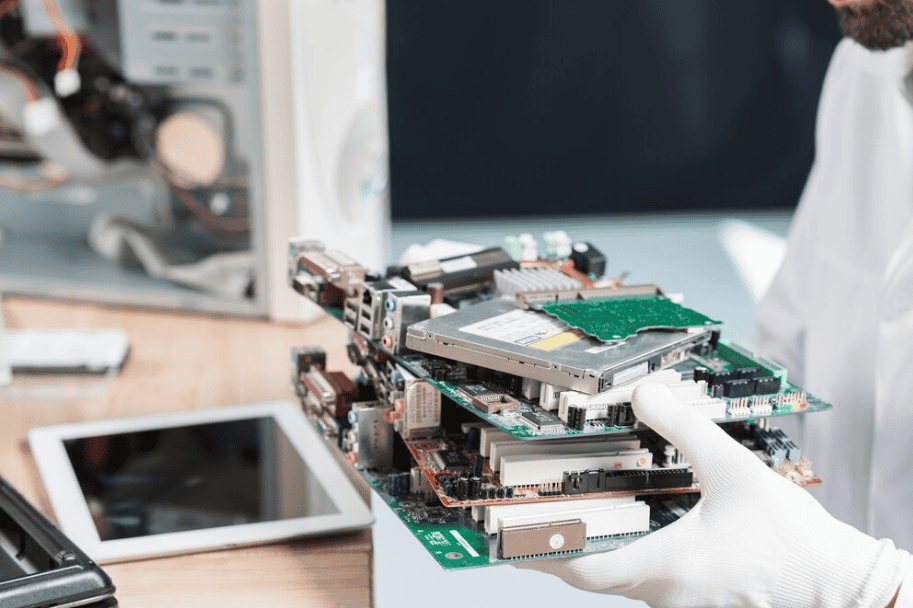
Your laptop arrives at the processing facility, where workers sort it to determine if it can be fixed or reused. The outer shell is opened by hand, separating plastic frames, metal backings, glass screens, and circuit boards. Lithium batteries and other toxic components are removed to prevent leaks or fires, and the remaining materials are shredded and sorted using magnets and air separators to recover steel, copper, gold, and plastics for new products.
Frequently Asked Questions
Is it okay to put my laptop in a green bin in the UAE?
No. Green neighbourhood bins collect paper, cardboard, plastic bottles, and cans. Laptops contain batteries and circuit boards that require separate processing plants.
Will my files be completely deleted with a standard factory reset?
For personal use, a full factory reset and drive cleaning is fine. For sensitive work files, use special wipe software or physical drive shredding.
What if the laptop screen or power button is completely broken?
Even if the laptop is black and unresponsive, your photos and files remain on the storage drive. A proper recycler can remove the hard drive and break it down into its smaller components securely.
Does MAH Recycling collect from homes?
Yes. Collection of e-waste is available right from your doorstep at home or the office, anywhere in the UAE.